Media stays in your game.
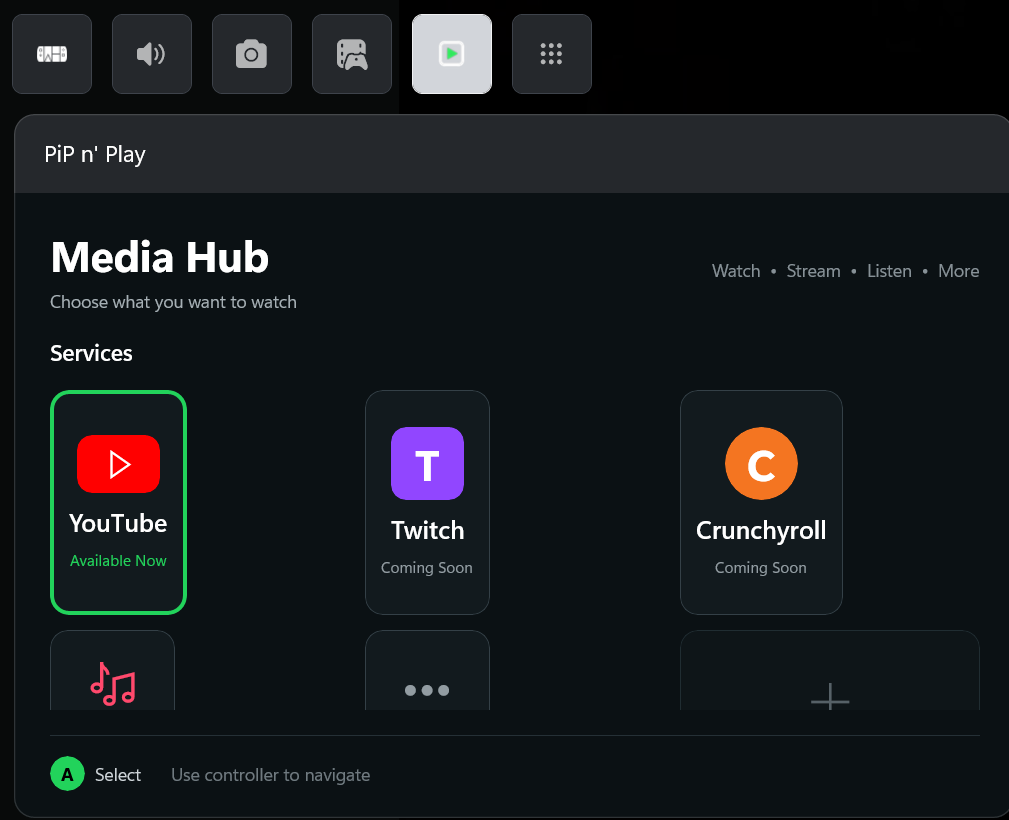
Launch PiP n’ Play from Xbox Game Bar and choose where to watch. YouTube is the first focus, with a hub designed to grow over time.

PiP n’ Play keeps a YouTube mini-player close to your game, with controller-friendly controls for desktop PCs, handheld PCs, and Windows-based PC/console hybrids.
Direct download available · Microsoft Store certification in progress

By Goodwine Innovations
A compact YouTube player for Xbox Game Bar. Bring in a link, browse with a controller, and keep playback controls within reach while you game.
The latest signed Windows build is ready to download here. The Microsoft Store release is still working through certification.
Get the Windows app This is the independent PiP n’ Play site, not a live Microsoft Store listing.Open the hub. Find a video. Keep watching while you play.
Real screens from a development build. The layout may change before release.
Launch PiP n’ Play from Xbox Game Bar and choose where to watch. YouTube is the first focus, with a hub designed to grow over time.

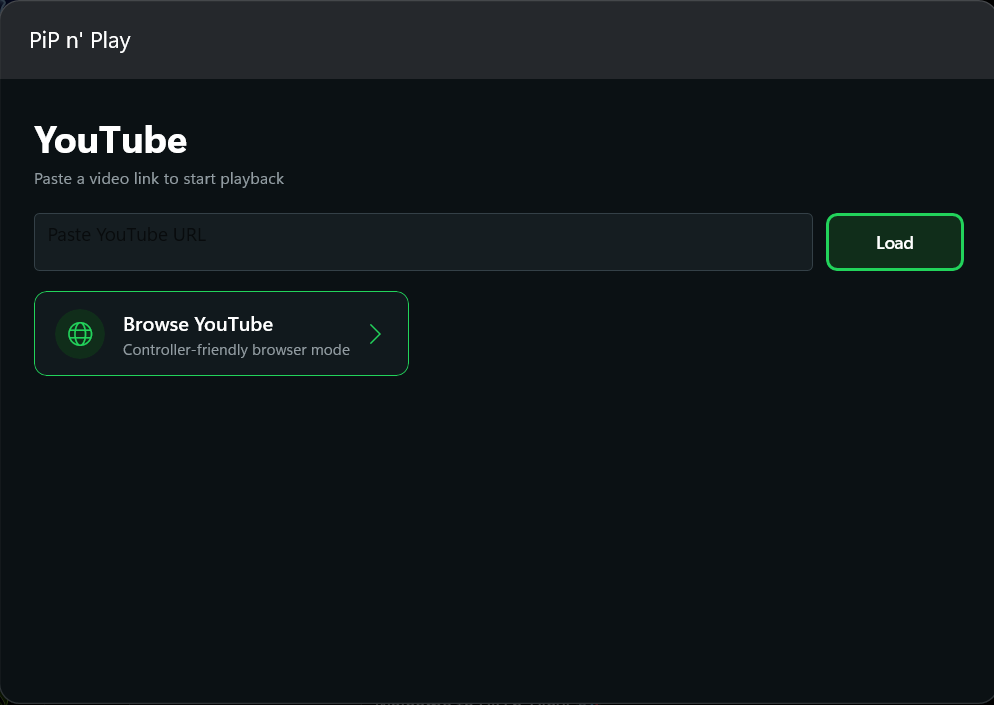
Paste a YouTube URL or browse with controller-friendly navigation. Choose the route that fits how you play.
View full screen ↗
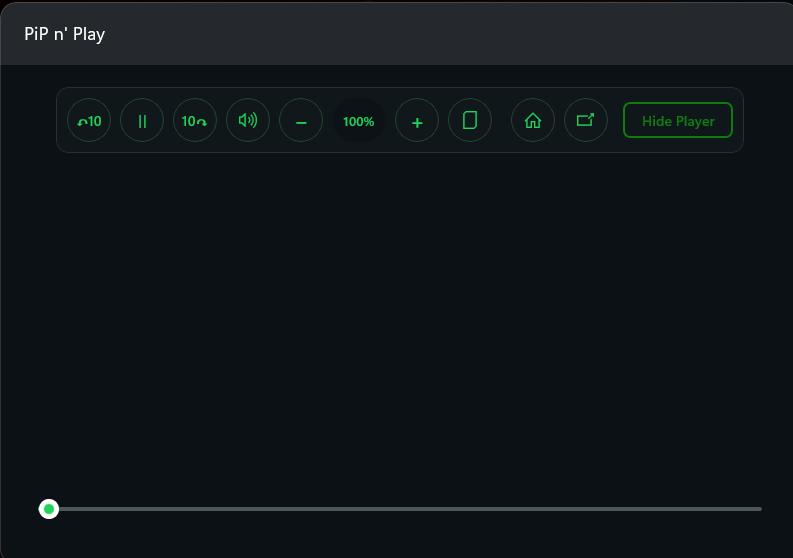
Pause, seek, adjust volume, and move through the timeline from a compact player that stays close to the game.
View full screen ↗The latest signed build is available as a direct Windows download. The Microsoft Store release is still working through certification.
Download the latest signed x86 MSIX bundle for a compatible Windows PC, handheld, or Windows-based hybrid. The Microsoft Store option will be added after certification.
The download begins from this website. Check your browser’s Downloads list if you do not see a prompt.
PiP n’ Play focuses on quick media controls inside the Game Bar experience.
Load a YouTube link or use controller-compatible Browser Mode to browse and choose a video without leaving your gaming setup.
Play, pause, mute, adjust volume, seek by ten seconds, and move through the video with a progress slider.
A compact interface and controller-first direction keep the controls accessible on a desktop PC, handheld PC, or Windows-based PC/console hybrid.
Here is what works now, what is being finished for launch, and where PiP n’ Play goes next. Plans may evolve; no release dates are promised.
Free core app. Discord Supporter role / voluntary funding.
Features will ship incrementally as they are ready.
The core media experience stays free. Pro adds optional customization and power-user features.
Netflix and Hulu are research items, not confirmed releases. Roadmap priorities and timing may change.

The PiP n’ Play server is a place for development updates, controller tips, and conversations about what comes next.
Join the DiscordYes. Download the latest MSIX bundle directly from this page on a compatible Windows PC. The Microsoft Store link is still pending certification.
PiP n’ Play is designed for Xbox Game Bar on Windows PCs. That includes handheld PCs and Windows-based PC/console hybrids, but it is not an Xbox console app.
Yes. The core media experience is planned to stay free. V2 plans optional Pro customization and power-user features; the Discord Supporter role is voluntary funding.
No. This is the independent PiP n’ Play website by Goodwine Innovations. The previews are illustrative, and the actual Store link will appear here if the listing goes live.